
A very exited cat Meme Generator
Create Your A very exited cat Meme
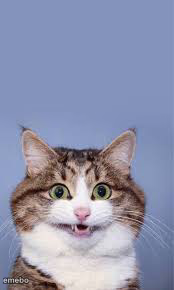
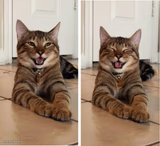
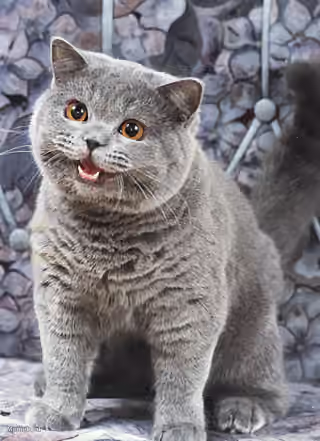
A tabby cat staring straight ahead with huge, startled eyes and mouth slightly open. Great shocked-reaction template — caption and download free.
Blank A very exited cat meme template
Download the blank A very exited cat template to caption it yourself, or add your text right here in the editor above and download the finished meme.
When to use the A very exited cat meme
- Hearing a plot twist you did not see coming
- Someone drops gossip mid-conversation with zero warning
A very exited cat template facts
- Dimensions
- 174 × 290 px
- Format
- JPG
- Text boxes
- 1
- Added
- 2025
About the A very exited cat meme template
This cat just saw something it was not prepared for. Eyes blown wide, mouth caught mid-gasp, ears at full alert — it's the universal face of 'wait, what did you just say?'
Great for plot twists, jump scares, unexpected bills, or reacting to gossip that just changed everything.
Popular A very exited cat caption ideas
NOBODY: MY DRIVERS LICENCE PHOTO · .
when the waiter says the tip is not included
me realizing I hit 'reply all' instead of 'reply'
when the group chat goes silent after your joke
Templates similar to A very exited cat
A very exited cat meme FAQ
How do I make a A very exited cat meme?
Scroll up to the A very exited cat template, type your caption into the text box in the editor above, adjust the font, size and color if you like, then click download. Your finished A very exited cat meme is ready to share in seconds.
Can I use the A very exited cat template for free?
Yes. The A very exited cat template is completely free to use — no signup and no limits on how many memes you create or where you share them.
How do I download my A very exited cat meme?
Click the download button under the editor once your A very exited cat meme looks right. It saves straight to your device as a high-quality PNG or JPEG image.
How do I download the blank A very exited cat template?
Use the "Download blank template" button in the blank A very exited cat template section above to save the original, un-captioned image — handy if you'd rather caption it in another app or keep a copy.