
Boss Shows Tablet Meme Generator
Create Your Boss Shows Tablet Meme

Flat-style clipart of a manager showing an employee something on a tablet at his desk. Perfect for office and workplace jokes — caption it free.
Blank Boss Shows Tablet meme template
Download the blank Boss Shows Tablet template to caption it yourself, or add your text right here in the editor above and download the finished meme.
When to use the Boss Shows Tablet meme
- Your boss dropping a last-minute task right before you clock out
- Being shown a chart that definitely isn't good news
- A coworker sharing a meme instead of actual work
- That surprise Friday-afternoon meeting invite
Boss Shows Tablet template facts
- Dimensions
- 1280 × 1280 px
- Format
- JPG
- Text boxes
- 2
- Added
- 2026
About the Boss Shows Tablet meme template
Two clipart office guys, one seated at his laptop and one standing over him holding out a tablet like he's about to drop either great news or a brand new pile of work. Very "can I borrow you for a sec" energy.
Popular Boss Shows Tablet caption ideas
YOU'VE CAUGHT MY · I ONCE WENT TO THE
HERE'S ANOTHER TASK · IT'S DUE IN 10 MINUTES
CHECK OUT THIS CHART · IT'S ALL GOING DOWN
I FOUND THIS MEME · NOW WE'RE BOTH OFF TASK
Templates similar to Boss Shows Tablet
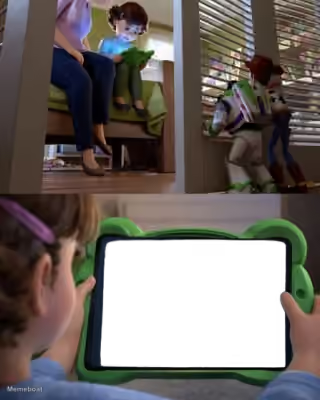
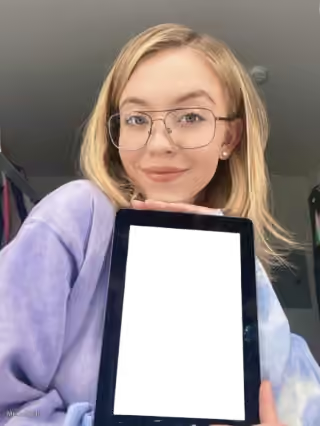

Boss Shows Tablet meme FAQ
How do I make a Boss Shows Tablet meme?
Scroll up to the Boss Shows Tablet template, type your caption into the 2 text boxes in the editor above, adjust the font, size and color if you like, then click download. Your finished Boss Shows Tablet meme is ready to share in seconds.
Can I use the Boss Shows Tablet template for free?
Yes. The Boss Shows Tablet template is completely free to use — no signup and no limits on how many memes you create or where you share them.
How do I download my Boss Shows Tablet meme?
Click the download button under the editor once your Boss Shows Tablet meme looks right. It saves straight to your device as a high-quality PNG or JPEG image.
How do I download the blank Boss Shows Tablet template?
Use the "Download blank template" button in the blank Boss Shows Tablet template section above to save the original, un-captioned image — handy if you'd rather caption it in another app or keep a copy.