
2 DVD Set Meme Generator
Create Your 2 DVD Set Meme
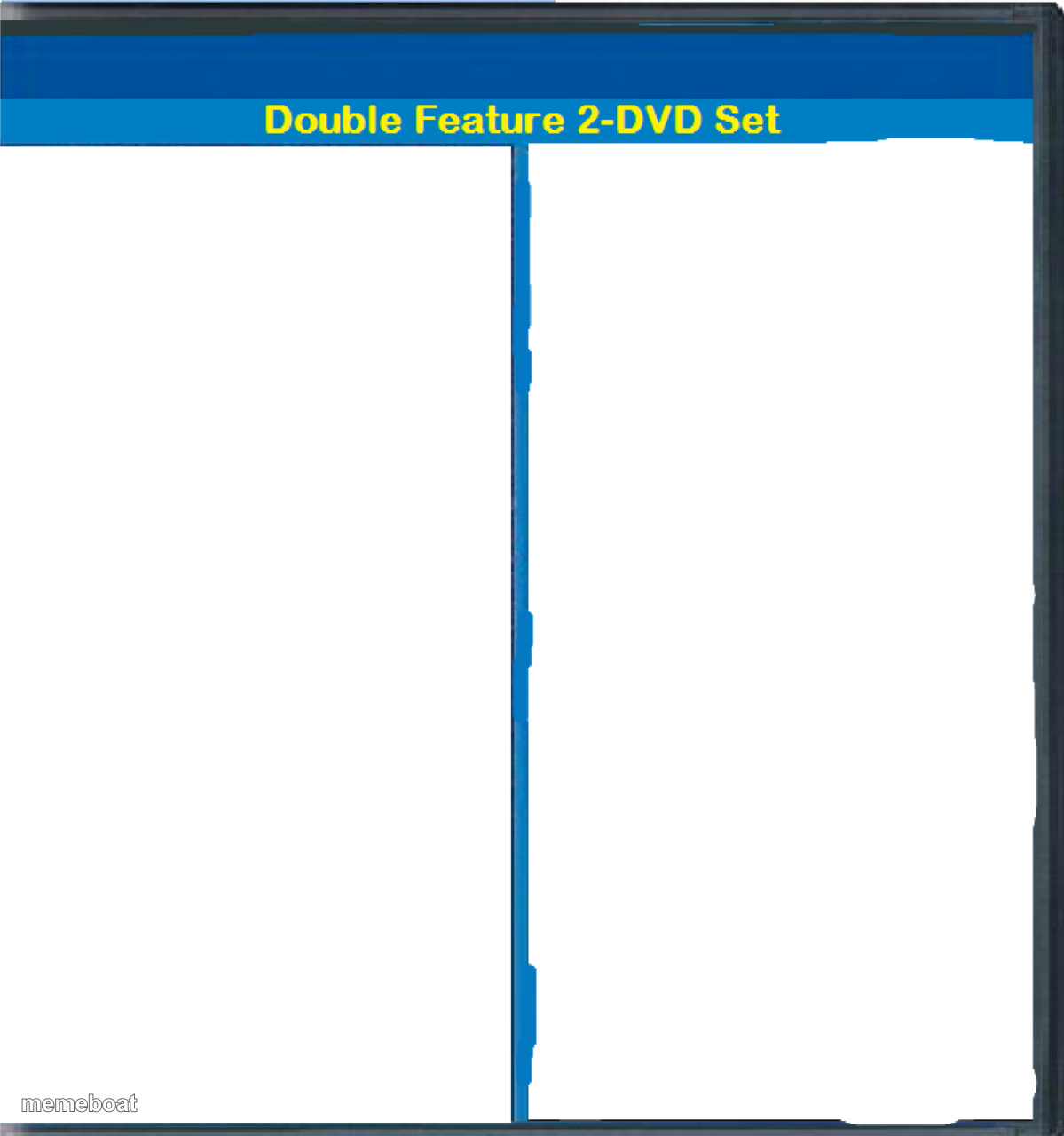
A blank Double Feature 2-DVD Set cover with two empty black panels for pairing two ridiculous things. Free to caption and download.
Blank 2 DVD Set meme template
Download the blank 2 DVD Set template to caption it yourself, or add your text right here in the editor above and download the finished meme.
When to use the 2 DVD Set meme
- Pairing your Friday night plans vs your actual Friday night
- Contrasting two wildly different moods of the same person
- Two unrelated disasters that happened back to back
- Before and after a single cup of coffee
2 DVD Set template facts
- Dimensions
- 1199 × 1280 px
- Format
- PNG
- Text boxes
- 2
- Added
- 2025
About the 2 DVD Set meme template
This is that classic bootleg DVD box art template, split right down the middle so you can pair up two things that absolutely do not belong on the same disc. The blank black panels are basically begging for chaos.
Use it to pair two wildly unrelated moods, two versions of a person, or two events that somehow feel like they're part of the same terrible saga.
Popular 2 DVD Set caption ideas
Me on Sunday planning my whole week · Me on Monday doing none of it
What I ordered · What showed up
My personality before coffee · My personality after coffee
Templates similar to 2 DVD Set


2 DVD Set meme FAQ
How do I make a 2 DVD Set meme?
Scroll up to the 2 DVD Set template, type your caption into the 2 text boxes in the editor above, adjust the font, size and color if you like, then click download. Your finished 2 DVD Set meme is ready to share in seconds.
Can I use the 2 DVD Set template for free?
Yes. The 2 DVD Set template is completely free to use — no signup and no limits on how many memes you create or where you share them.
How do I download my 2 DVD Set meme?
Click the download button under the editor once your 2 DVD Set meme looks right. It saves straight to your device as a high-quality PNG or JPEG image.
How do I download the blank 2 DVD Set template?
Use the "Download blank template" button in the blank 2 DVD Set template section above to save the original, un-captioned image — handy if you'd rather caption it in another app or keep a copy.